Latest tutorials:

In this complete guide to the Ivy Generator add-on for Blender we will see how to use it to easily add ivy to an object, we will analyze its parameters by presenting various examples, and finally, since this tutorial is part of the course "Blender course: from photo to 3D ...
Read more >
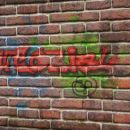
In this tutorial we will see how to add a graffiti/text/stencil to the "wall" that we had created in Blender in the previous tutorials of the "Blender course: from photo to 3D wall" mini-course. We will use as the graffiti image, to apply the wall, the one we created in ...
Read more >
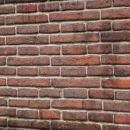
In this fourth tutorial of the mini-course in english for Blender "Blender course: from photo to 3D wall", we will see how to add dirt to the wall, with stains of humidity and mold, to which we had assigned a PBR material in the previous tutorial ("PBR material for brick ...
Read more >
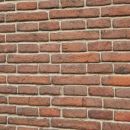
In this fourth tutorial of the mini-course in english for Blender "Blender course: from photo to 3D wall", we will see how to create a PBR material for the wall we are making, using the maps we had previously saved.
A PBR (Physically Based Rendering) material is a material that should ...
Read more >

In this tutorial in english for Blender the main functions of the "Node Wrangler" addon are presented, with the relative shortcuts (of which you can download a list in pdf at the end of the page). For this guide we used Blender 3.1 and Node Wrangler 3.38, but the concepts ...
Read more >
In this third tutorial for Blender (updated to version 2.93) concerning the creation of a 3D wall starting from a photo ("Blender course: from photo to 3D wall"), we will see how to create the bricks of the wall using the Adaptive Subdivision, which is also called Adaptive Displacement, or ...
Read more >

In this tutorial for Blender in english (updated to Blender 2.93) we continue the mini-course on how to create a 3D wall starting from a photo. In the previous tutorial https://www.graphicsandprogramming.net/eng/tutorial/krita/make-textures-in-krita/krita-tutorial-map-displacement-height-normal we created the various textures (displacement map, height map, normal map, roughness map, specular map) to be used as ...
Read more >
In this tutorial (updated to Blender 2.93) we mention some useful tools and functions for modeling, which can be useful for both beginners and the more forgetful experts. They allow both to save time and effort and to solve some problems, sometimes not easy to solve.
Moving a vertex along an ...
Read more >


